
Prayer apps
A group prayer app for your small group, Bible study or family
· 4 min read
What a group prayer app does, how a small group can share prayer requests and pray for each other all week, and how groups work in The Pray App.
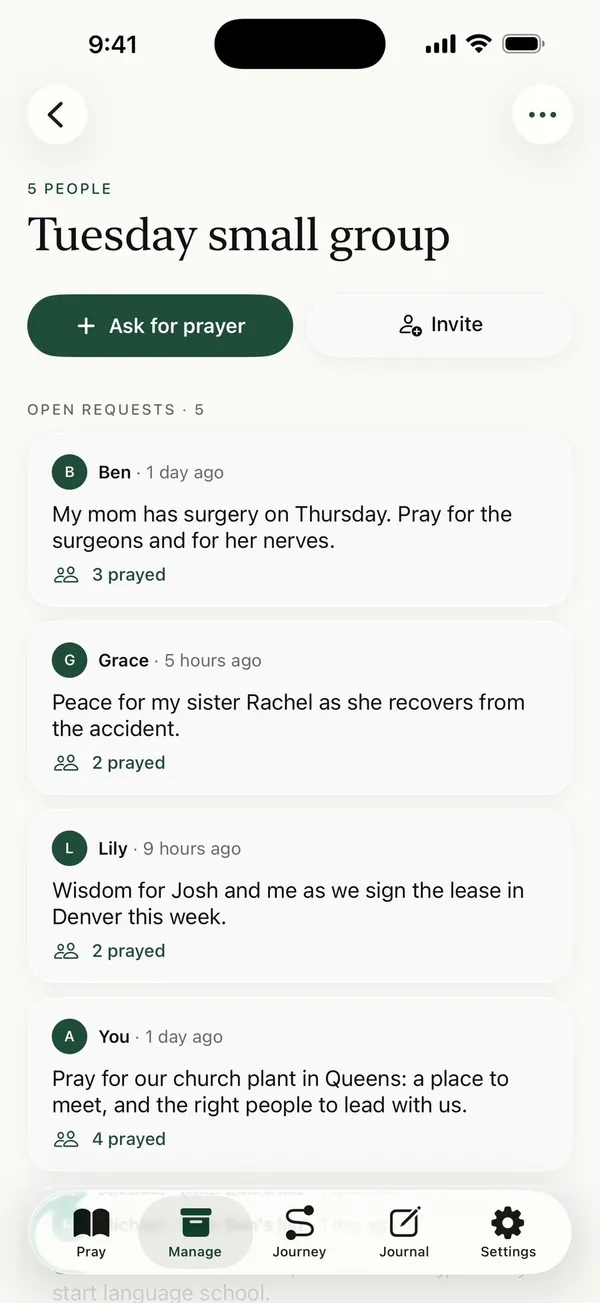
A group prayer app gives a small group one place to share prayer requests and a way to keep praying for them between meetings. In The Pray App, someone starts a group, pastes the group’s list, and invites the others with a code. Each person’s requests then come up in everyone’s prayer time.
What is a group prayer app?
A group prayer app is an app where a small group, Bible study, prayer team or family shares prayer requests and prays for each other. Members post requests, everyone in the group can see them, and the app brings them back up during the week so they don’t fade after the meeting. A good one keeps requests in each person’s own words and shows the group is praying.
Why do small groups need a better way to share requests?
Most groups share requests the same way. Someone talks for a few minutes, someone else types notes, and the list ends up in a group text. By Thursday it’s buried under other messages, and the person who shared doesn’t know if anyone remembered.
Scripture pictures a church that keeps praying. When Peter was in prison, “earnest prayer for him was made to God by the church” (Acts 12:5, ESV). Paul tells believers to “bear one another’s burdens, and so fulfill the law of Christ” (Galatians 6:2, ESV) and James says, “pray for one another, that you may be healed” (James 5:16, ESV). A group prayer app is a small tool for that kind of steady, shared prayer.
What should a group prayer app do?
When you compare options, look for these:
- Requests in people’s own words. A request should read the way the person said it, not rewritten into something they didn’t say.
- A way in from the list you already have. Most groups start with a text thread or notes, so pasting that list should be quick.
- Prayer that reaches the week. Requests should come up when you pray, not only sit on a board.
- A quiet signal back. The person who asked should know people are praying, without a public feed.
- Privacy. Only the group should see its requests.
- Room for your own prayers. The group’s list shouldn’t crowd out your own.
How do groups work in The Pray App?
In The Pray App, the leader starts a group from Manage by tapping Start a group. They name it, paste the list from the group text, and tap Split into requests. Each line becomes its own request with the name of the person who asked. Nothing is turned into a written prayer.
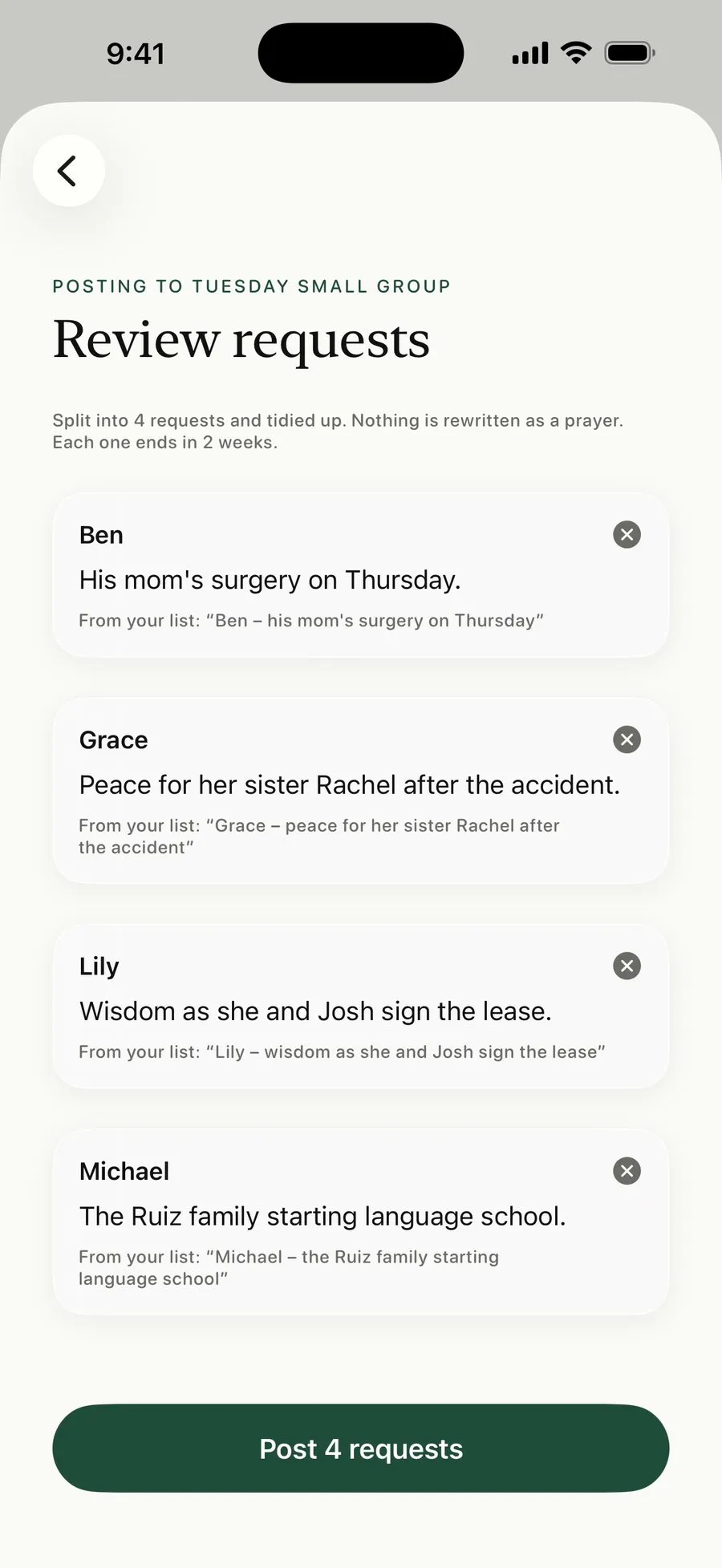 Paste the group’s list and each line becomes a request, in the words people used.
After Post, the leader sends the invite code with Share invite. Others tap Join with a code, and they’re in. From then on:
- Anyone can tap Ask for prayer to post a request.
- Up to 3 of the group’s requests come up each time you pray, taking turns, next to your own prayer cards. You can change the number or turn it off in Group info.
- Each request shows how many people prayed for it.
- When God answers, the person who asked marks it answered. The group sees it was answered, and it leaves everyone’s prayer time.
- Requests end after 2 weeks unless the admin picks 1 week, 1 month or Never. Ended requests are archived, not deleted.
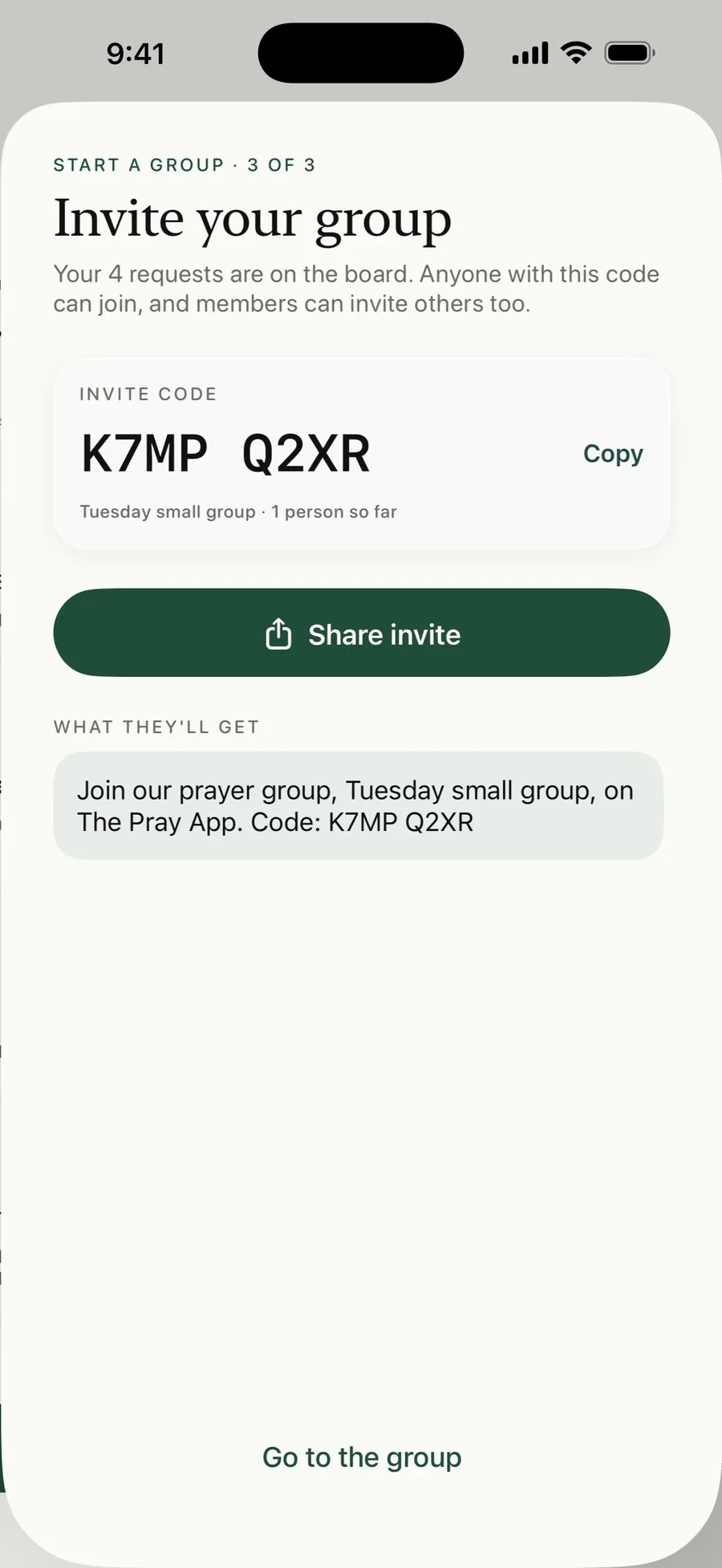 Send the invite code to your group. Anyone with it can join.
The steps with screenshots are in pray with your small group.
How do you get a small group to use it?
A group prayer app works when the group uses it together for a few weeks. A few things help:
- Start the group before your next meeting and paste last week’s requests, so it isn’t empty when people join.
- Send the invite code in your group text with one line about why.
- At the meeting, ask for new requests and post them that night.
- Mention when a request is marked answered. Thanking God together is part of it.
For the meeting itself, see small group prayer request ideas.
Is The Pray App right for your group?
The Pray App fits small groups, Bible studies, prayer teams and families who know each other and want to keep praying through the week on iPhone. Each person also keeps their own private prayer list in the same app. It isn’t a public prayer wall or a tool for a whole congregation’s requests. If your group shares requests on a text thread today, it’s an easy next step.
The Pray App is free on the App Store, with no ads. See also prayer request app and how to start a prayer group.
Questions people ask
Is there a free group prayer app?
Yes. The Pray App is free on iPhone, with no ads, and groups are part of the free app. Start a group for your small group or Bible study, or join one with a code.
Who can see the prayer requests in a group?
Only the people in the group. Your name shows on the requests you post. Your own prayer cards, the people you tag, and your journal stay private.
Does a group prayer app replace praying together in person?
No. It helps the group keep praying between meetings. Share requests when you meet, pray for them together, then let the app bring them back up through the week.
Can a church prayer team use a group?
Yes, if the team is a group of people who know each other. Each group has its own board and invite code. It isn't built for posting requests to a whole congregation.
Related guides
- Prayer app for kids, how families can pray togetherWhat parents can look for in a prayer app for kids, how to use The Pray App with your children at bedtime, and how answered prayers can build their faith.
- Prayer app for teens, how to pray as a teenagerHow to pray as a teenager, praying for your friends, school, the future, and anxiety, and how The Pray App helps teens keep praying without pressure.
- AI prayer app, what AI can and can't do for your prayersHow AI can help organize your prayer list, why it can't pray for you, how to test what it writes against Scripture, and how The Pray App uses it.
- Best prayer app for iPhone, what to look forWhat makes the best prayer app for iPhone, the features that help you pray each day, and how The Pray App handles lists, journaling, and privacy.