
Prayer apps
Prayer list app, organize your prayer requests on iPhone
· 2 min read
How a prayer list app helps you organize prayer requests, pray for each person on the right day, and keep track of answers, all on your iPhone.
A prayer list app keeps your prayer requests organized on your iPhone and shows you who to pray for each day. Instead of a long list in your notes that grows every week, each request becomes a card that comes up when you want it to.
What does a prayer list app do?
A prayer list app keeps your prayer requests on your phone and shows you who to pray for each day. In The Pray App, you paste the list you already have, each request becomes its own prayer card, and you choose whether it comes up daily, weekly, or monthly. Today shows only the cards that are due, so the list never feels too long.
Why use an app for your prayer list
- It’s always with you. Add a request the moment someone asks.
- It doesn’t get too long. Requests come up daily, weekly, or monthly, so today’s list stays short.
- You remember to follow up. Mark requests answered and see what you’ve prayed for.
For the other features worth looking for, see what makes a good prayer app for iPhone.
Start with the list you already have
Paste the list you keep in your notes, a text from a friend, or your church’s prayer email. Put one request on each line.
The short prayer on each card is drafted by AI from your list, and you edit it before saving. See how The Pray App uses AI.
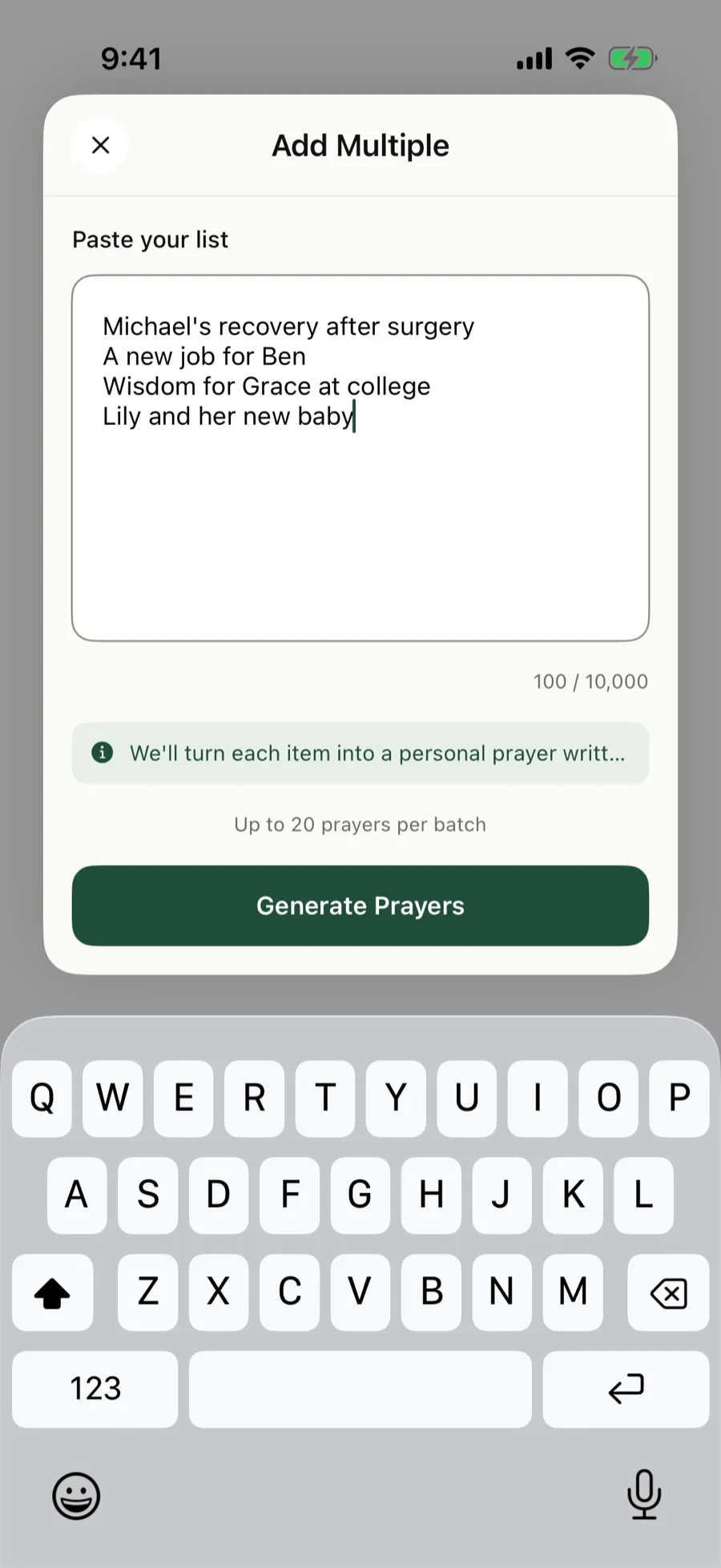 Paste up to 20 requests at a time into The Pray App.
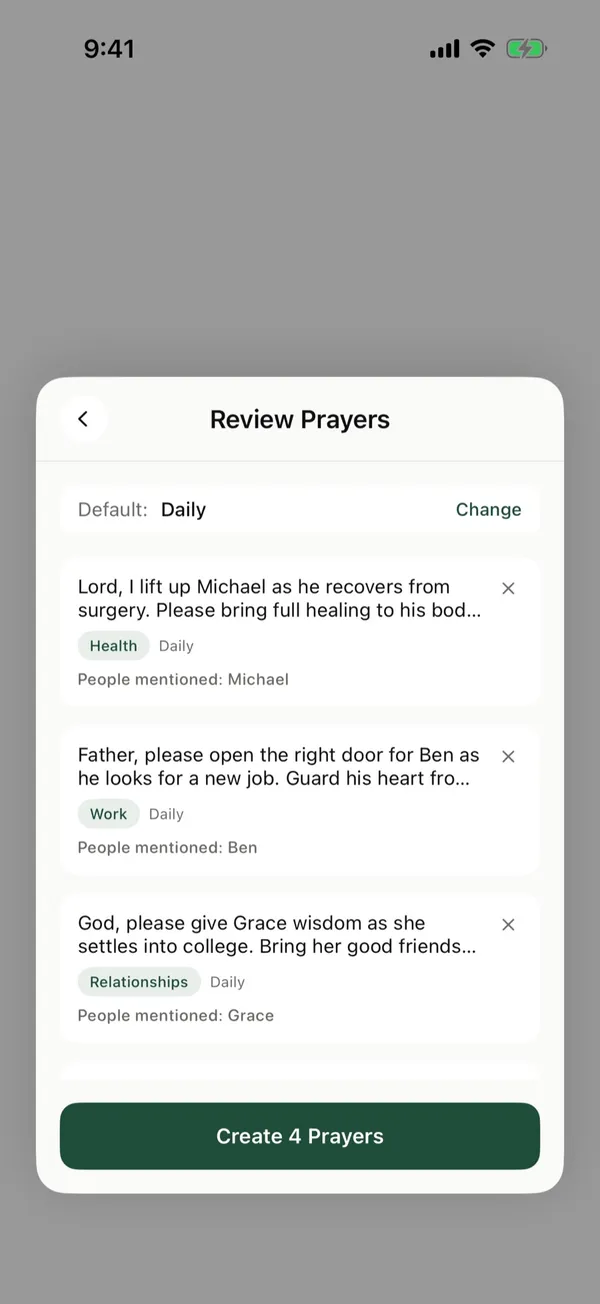
Each request becomes its own prayer card with a short prayer you can edit, a category like Health or Work, and the people it mentions. Check them, choose how often each comes up, and tap Create.
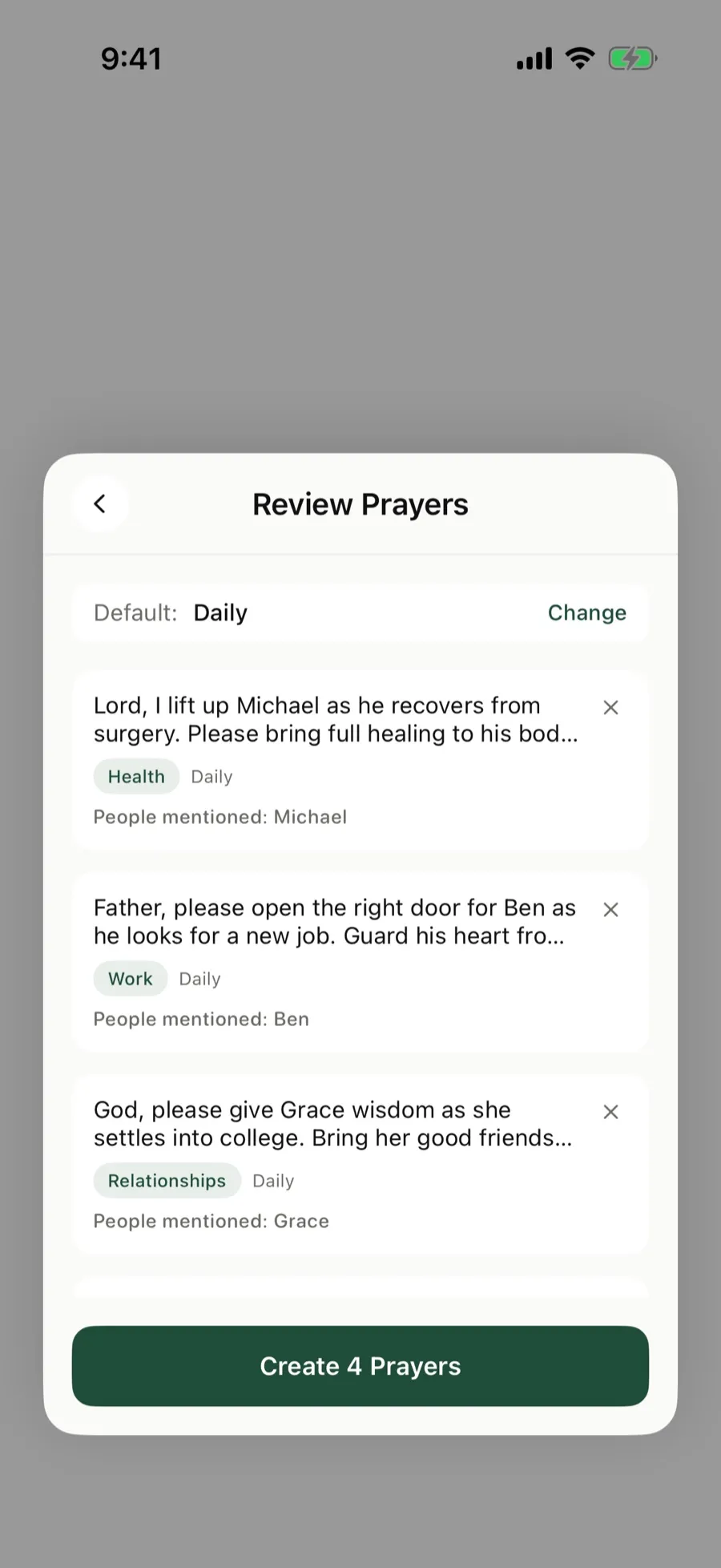 Check each card before you save.
Pray through today’s list
Each day, Today shows the cards that are due and about how long they’ll take. Tap Start praying and go through them one at a time.
Keep your list current
- Edit a card when a request changes.
- Mark it answered when God answers, and write how.
- Archive it when you’re done praying for it. It stays in Manage if you need it again.
Tips for a good prayer list
See how to make a prayer list, these prayer list examples, and how to keep track of prayer requests.
The Pray App is free to use, with no ads. See what the free prayer app includes.
The Pray App is free on the App Store. See how to add many prayers at once.
Questions people ask
Can I import my existing prayer list?
In The Pray App, you can paste your list from your notes, a text, or a church email. Put one request on each line, up to 20 at a time.
How does a prayer list app decide what to pray for each day?
In The Pray App, you choose how often each prayer card comes up, daily, weekly on a day you pick, or monthly on dates you pick. Today shows the cards that are due.
Can I share prayer requests with others?
The Pray App keeps your list private. You can tag people from your contacts and send them a text to say you prayed for them.
Is there a prayer list app for iPhone?
Yes. The Pray App is a prayer list app for iPhone. Paste your list, and each request becomes a prayer card that comes up daily, weekly, or monthly.
Related guides
- Prayer app for kids, how families can pray togetherWhat parents can look for in a prayer app for kids, how to use The Pray App with your children at bedtime, and how answered prayers can build their faith.
- Prayer app for teens, how to pray as a teenagerHow to pray as a teenager, praying for your friends, school, the future, and anxiety, and how The Pray App helps teens keep praying without pressure.
- AI prayer app, what AI can and can't do for your prayersHow AI can help organize your prayer list, why it can't pray for you, how to test what it writes against Scripture, and how The Pray App uses it.
- Best prayer app for iPhone, what to look forWhat makes the best prayer app for iPhone, the features that help you pray each day, and how The Pray App handles lists, journaling, and privacy.