Pray through today's cards
Open the app, tap Start praying, and pray through the prayer cards that are due today, one at a time.
Steps
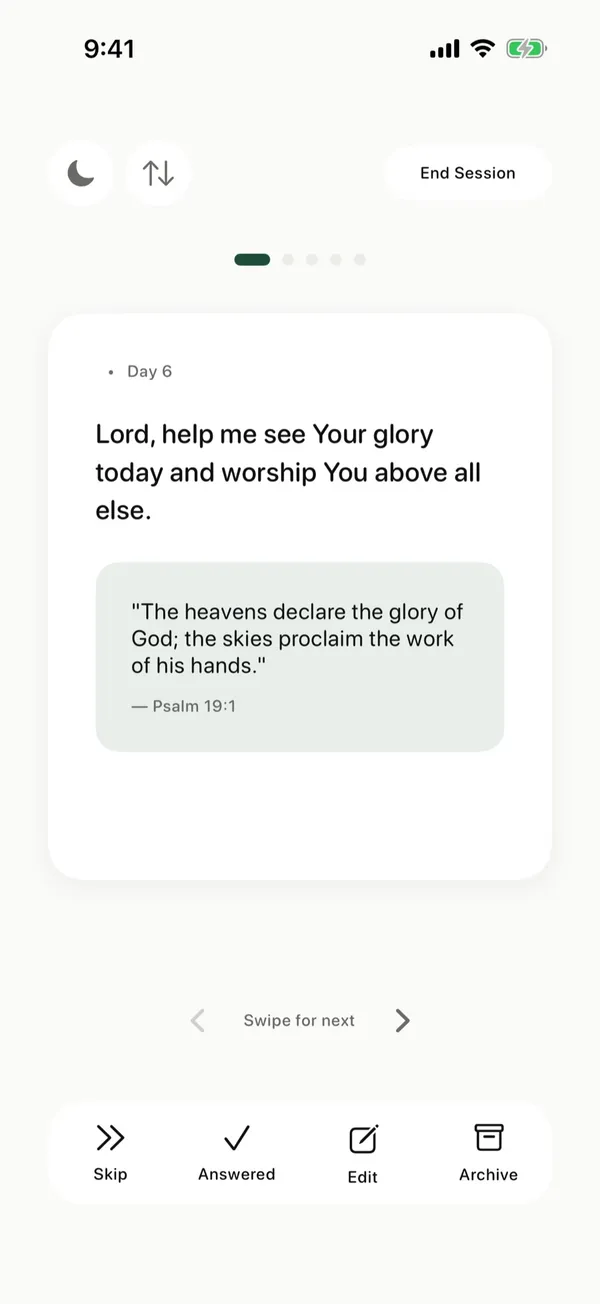
- On Home, the Today card shows how many prayers are due and about how long they take.
- Tap Start praying.
- Pray the card on screen, then swipe to the next one.
- Use the buttons under the card to Skip it, mark it Answered, Edit it, or Archive it.
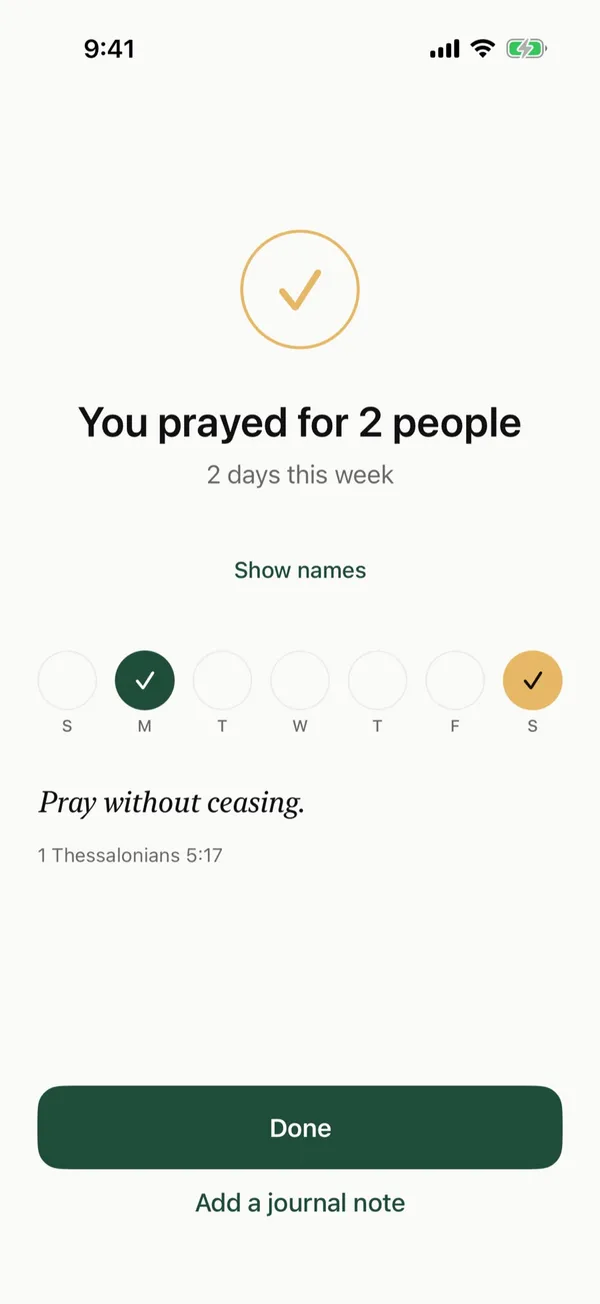
- When you reach the last card, or tap End Session, you see a short summary. Tap Done.
Good to know
- The moon button at the top switches the app to dark mode, and the sun button switches it back.
- The arrows button changes the order of the cards.
- Archive puts a card away without deleting it. You can find it again in Manage.
Posts about this
- A simple morning prayer routine you can keepA simple morning prayer routine in five steps, with Scripture to read, a short prayer to start the day, and tips for busy mornings.
- How to pray daily and build a habit that lastsHow to pray daily, with a simple routine, a set time and place, a prayer list, and help for days you miss. Practical steps rooted in Scripture.
- How to pray for someone who is sick, with versesHow to pray for someone who is sick, what to ask God for, Bible verses about healing, and ways to support them while you keep praying.