
Prayer journals
Prayer journal app, how to keep a prayer journal on iPhone
· 2 min read
What to look for in a prayer journal app, how journaling on your iPhone compares to paper, and how The Pray App ties your journal to the people you pray for.
A prayer journal app lets you write your prayers on your iPhone, keep them in one place, and look back on how God has answered. Here’s what to look for in a prayer journal app and how The Pray App works.
What is a prayer journal app?
A prayer journal app is an app for writing your prayers on your phone and keeping them in one place. A good one makes it quick to start writing, offers a prompt when you’re stuck, ties entries to the people and requests you pray for, records answered prayers, keeps your entries private, and lets you export them. The Pray App does each of these on iPhone.
What to look for in a prayer journal app
- Simple writing. You should be able to start writing in a tap or two.
- Prompts. A short prompt helps on days you don’t know what to say.
- A link to your prayers. Notes are more useful when they’re tied to the person or request you prayed for.
- Answered prayers. A place to record how God answered.
- Privacy. Your prayers are personal. Check how the app handles your data.
- Export. You should be able to download your entries.
Paper or app?
Paper is good for slowing down and focusing. An app is always with you, can remind you to pray each day, and keeps your journal next to the people you’re praying for. Some people use both. See how to start a prayer journal.
How journaling works in The Pray App
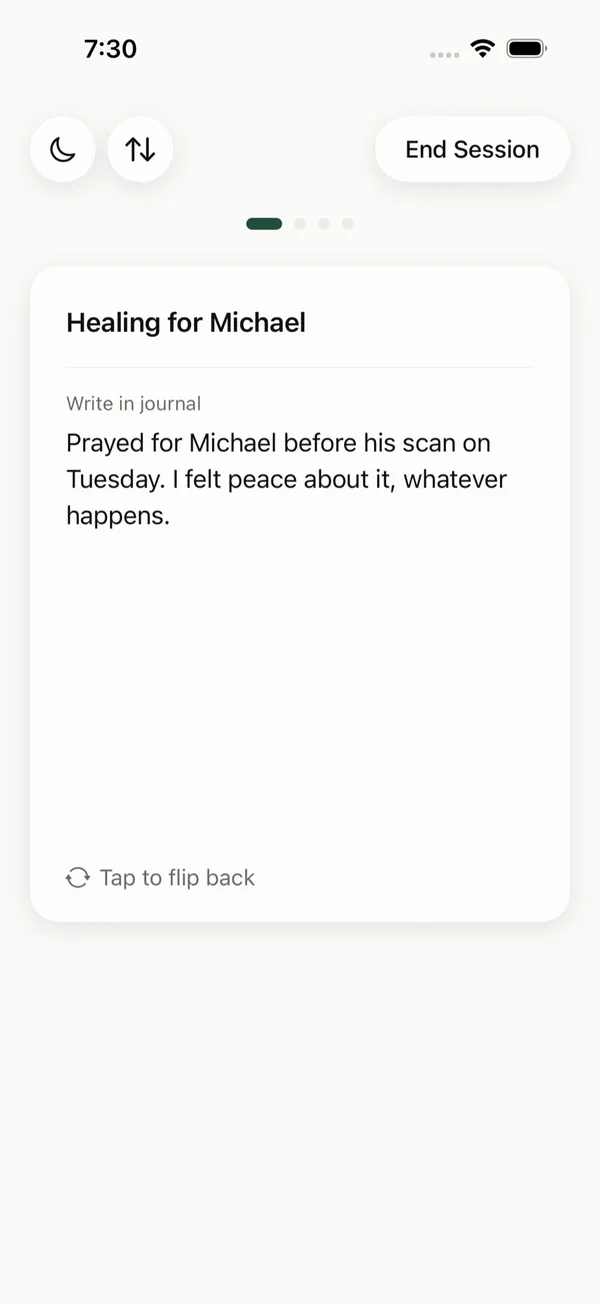
You can journal two ways. While you pray, flip a prayer card over and write. It saves as you type, and the entry links back to that prayer. Or open Journal and write about your day, with a prompt under Something to Consider if you need one.
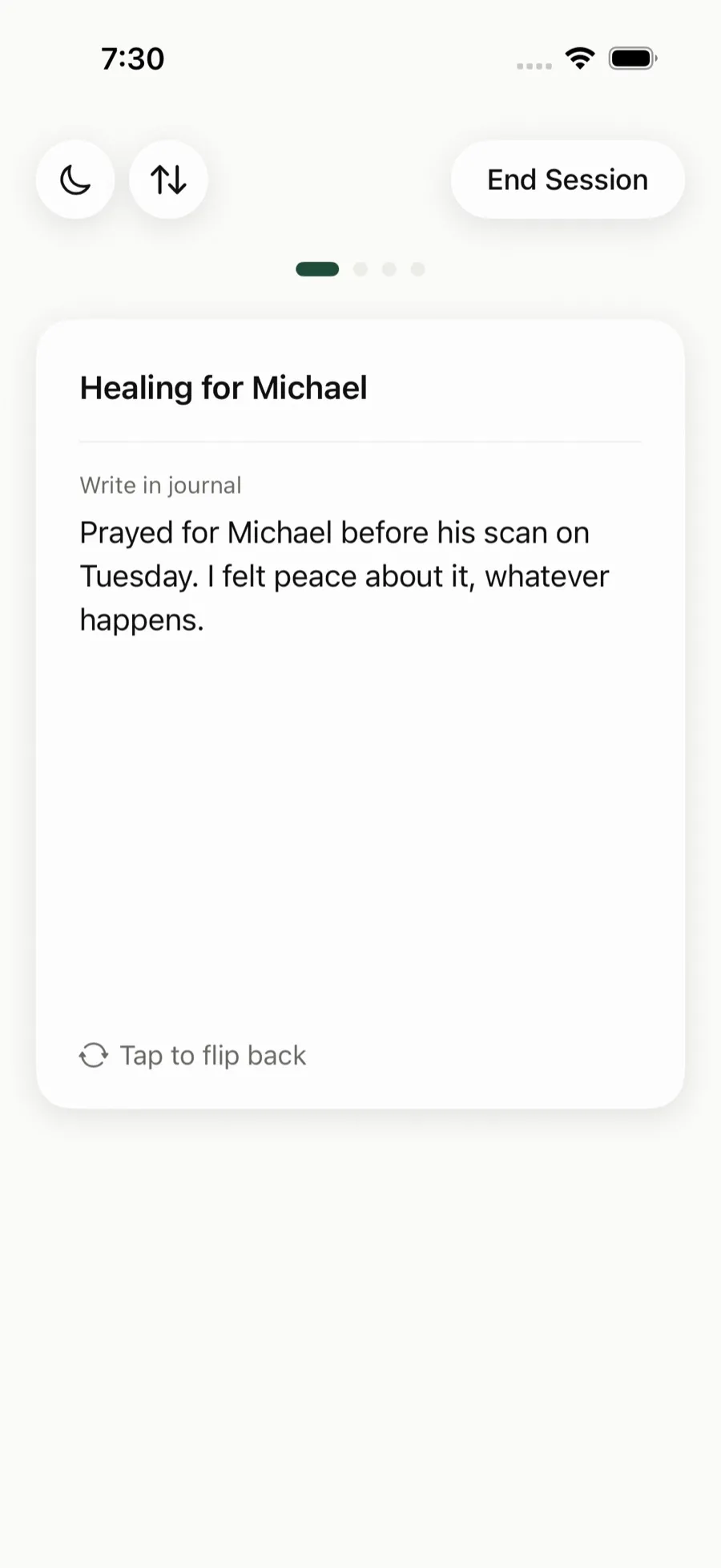 Flip a card to journal while you pray for that person.
When God answers a prayer, mark it answered and write how. It shows in Journey under Stones of Remembrance.
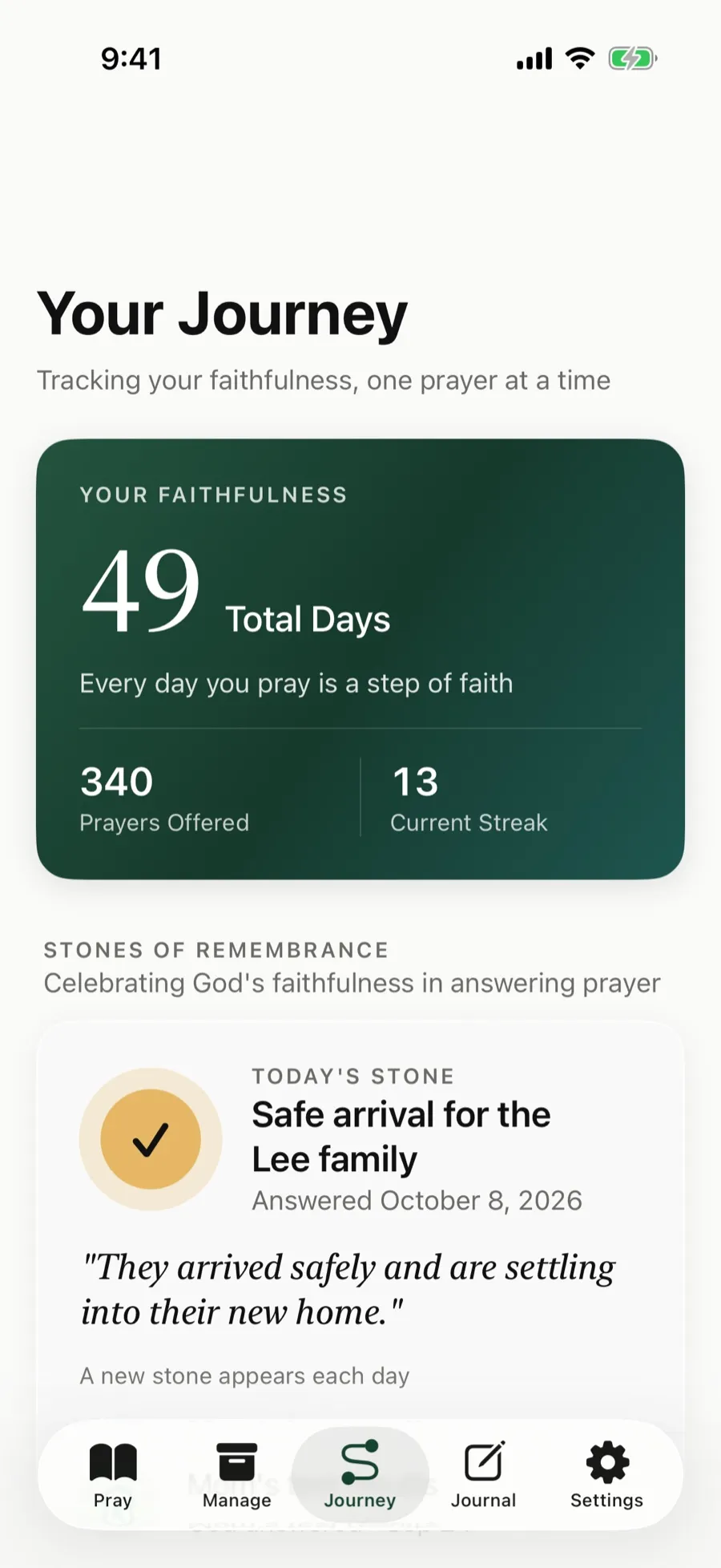 Journey shows the days you’ve prayed and the prayers God has answered.
Privacy and export
Your prayers and journal entries are encrypted, we don’t read them personally, and we never sell your data. In Settings, Download My Data saves your prayer cards and journal entries as a file.
The Pray App is free on the App Store, with no ads. See how to keep a prayer journal.
Questions people ask
Is there a free prayer journal app?
Yes. The Pray App is free on iPhone with no ads. It includes a journal, prayer cards, answered prayer tracking, and a Bible reading plan.
Is a prayer journal app better than paper?
Neither is better for everyone. Paper is great for slowing down. An app is always with you, can remind you to pray, and links your journal to the people and requests you pray for.
Are my journal entries private?
In The Pray App, your prayers and journal entries are encrypted, we don't read them personally, and we never sell your data.
Is there a Christian prayer journal app?
Yes. The Pray App includes a prayer journal. Flip a prayer card over to write while you pray, or open Journal to write about your day, with a prompt when you need one.
Related guides
- Answered prayers, how to keep a record of what God has doneHow to keep a record of answered prayers, what to write when God answers, how to handle prayers that stay open, and why looking back strengthens faith.
- Prayer journal ideas for beginnersPrayer journal ideas for beginners, from simple layouts to praying Scripture, keeping a gratitude list, and tracking answered prayers over time.
- Prayer journal prompts for every day of the weekPrayer journal prompts for when you don't know what to write, for thanks, confession, requests, Scripture, and looking back on how God has answered.
- How to start a prayer journal, a simple guide for beginnersHow to start a prayer journal, what to write, prompts for when you're stuck, and how to record God's answers so you can look back on them later.